



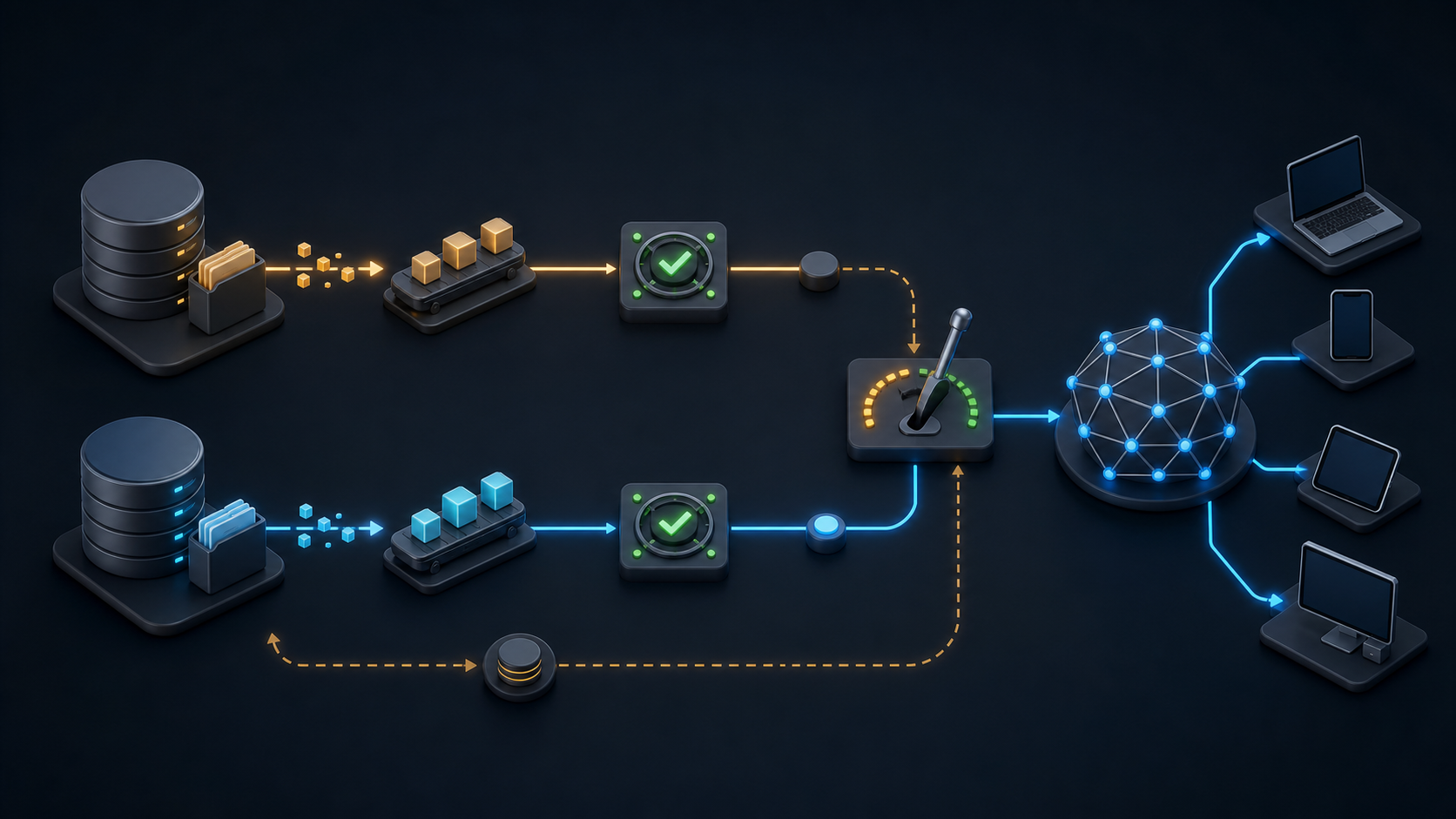

Moving a media library off Akamai NetStorage is not a normal bucket-to-bucket copy. The source is tied to CP codes, upload accounts, replication behavior, and an Akamai delivery property; miss any one of those dependencies and the files may arrive while production URLs, permissions, or cache behavior break.
This guide explains the system accurately, separates NetStorage from Akamai's S3-compatible Object Storage product, and gives platform and video teams a controlled migration path. The objective is not to declare a winner from a feature grid. It is to decide whether NetStorage still fits the workload and, if not, switch origins without interrupting delivery.
What is Akamai NetStorage?
Akamai NetStorage is persistent, geographically replicated origin storage built for content delivered through Akamai's edge network. It stores digital assets such as images, downloads, and media files, while an associated Akamai delivery product serves those objects to end users; it is not a general-purpose S3 bucket or a CDN by itself.
Akamai describes NetStorage as storage that brings content closer to customers through geographic replication. Its own NetStorage introduction then separates setup, content management, developer tools, and delivery into distinct concerns.
The core objects are:
- Storage group: the replicated storage container and its geographic configuration.
- CP code: the numeric content-provider code that becomes an upload-directory root and supports reporting and billing attribution.
- Upload account: credentials and permissions for one or more storage groups or directories.
- Access method: the protocol or API used to manage content, such as the NetStorage Usage API, rsync, SCP, SFTP, or Aspera.
- Delivery property: the Akamai configuration that selects NetStorage as an origin and defines cache and delivery behavior.
Those terms are not interchangeable. Akamai's NetStorage concepts documentation says a storage group needs at least one CP code and one upload account. The Usage API overview handles upload, delete, directory listing, and related content operations, while configuration and delivery use other APIs.
How a request moves through the system
An operator uploads an object under a CP-code path. NetStorage writes it to an accessible replica and propagates the change to the other configured replicas. A viewer normally requests the public delivery hostname, an Akamai edge checks its cache, and a miss is fetched from the NetStorage origin.
That last step matters. Akamai says NetStorage's primary purpose is a delivery origin and explicitly warns that its management protocols are not intended as a bulk-download “drop box” (Akamai's download guidance). The architecture is optimized around origin-to-edge delivery, not arbitrary application access to an S3-style data plane.
Akamai NetStorage strengths and operational trade-offs
NetStorage remains a sensible design when the content already uses Akamai delivery, geographic replication is valuable, and the team is comfortable operating the Akamai-specific control and content-management model.
Its most important strength is integration. NetStorage can be selected directly as the origin in an Akamai property, and Akamai handles secure connectivity from its edge to that native origin. Replicas add availability, while the edge provides the viewer-facing cache and routing layer.
The trade-offs become visible when a team treats it like generic cloud object storage.
| Decision area | NetStorage behavior | Why it matters |
|---|---|---|
| API model | CP-code paths, upload accounts, and Akamai-specific authentication | Existing S3 SDKs and bucket policies do not transfer directly |
| Consistency | Replicas converge under an eventual-consistency model | Repeated overwrites can expose older versions during propagation |
| Content role | Designed as a delivery origin | Bulk export and general application reads need deliberate planning |
| Write pattern | Rate limits apply per storage group | Small-file bursts and high-churn workloads need controlled concurrency |
| Large objects | A single object is limited to 150 GB | Oversized source objects must be identified before migration |
| Live origin | Akamai recommends a dedicated live-origin product instead of direct NetStorage use | Rapidly changing manifests can exceed the intended operating pattern |
Akamai documents a current standard limit of 50 write operations per second, 1,000 reads per second, 200 million objects, 1 PB per storage group, and 150 GB per object, with configuration-dependent reductions or exceptions (NetStorage technical limits). These are not reasons to leave by themselves. They are inputs to compare with your object count, file-size distribution, churn, and peak ingest rate.
Replication deserves the same treatment. Akamai's geographic replication guidance describes an eventual-consistency model, notes that rapid updates may not become visible everywhere at the same time, and recommends versioned object names rather than overwriting a hot URL. If your release pipeline already publishes immutable, content-hashed assets, the constraint may be easy to accommodate. If it repeatedly overwrites live manifests or “latest” files, the architecture is fighting the workload.
When replacing Akamai NetStorage makes sense
Do not migrate simply because a different storage rate looks lower. A move is justified when it removes a recurring architectural, operational, or commercial mismatch.
Strong signals include:
- Your applications already speak S3. Maintaining a separate NetStorage adapter, signing implementation, or upload path adds work that an S3-compatible origin can remove.
- Storage and delivery economics are hard to forecast. Compare the full Akamai contract and invoice—not an isolated storage line—with destination storage, replication, CDN delivery, requests, support, and temporary dual-running.
- The team needs a self-service workflow. Provisioning, credentials, usage visibility, and automation may matter more than raw network size for a small platform team.
- The object workflow has outgrown NetStorage's intended role. High-churn objects, direct bulk access, or general application storage are different from persistent delivery-origin content.
- The media pipeline is fragmented. Separate bills and operational surfaces for storage, encoding, delivery, player telemetry, and analytics can create more cost and incident boundaries than the service itself.
Staying can still be the right call. Keep NetStorage when the current Akamai property is stable, the contract fits the traffic, Akamai-specific tooling is already automated, and the migration would add risk without changing a measurable outcome. The fair question is not “Is S3 newer?” It is “Which origin model produces the required delivery result with less total cost and operational friction?”
Akamai NetStorage vs S3-compatible storage
NetStorage and Akamai Object Storage are separate products. Akamai's current Object Storage page describes an S3-compatible service, while NetStorage documentation specifies its own Usage API headers, CP-code paths, and access methods. Do not assume an application using the NetStorage API can change only the endpoint and continue working.
| Requirement | Akamai NetStorage | ZeroBuffer |
|---|---|---|
| Primary interface | NetStorage Usage API and configured transfer methods | S3-compatible object-storage interface |
| Origin relationship | Native origin for Akamai delivery properties | Stored videos stream directly to viewers |
| Storage price signal | Use your contract and invoice | $0.01/GB-month per replica |
| Delivery price signal | Use your contracted delivery terms | $0.0049/GB of video worldwide, with lower volume tiers |
| Media workflow | Depends on the Akamai products in your contract | Multi-rendition encoding to 4K, 1080p, 720p, and 480p included |
| Trial motion | Confirm with your account team | Free to start, no card, contract, or minimum |
ZeroBuffer fits when the desired replacement is an S3-compatible media origin plus global delivery, rather than the rest of Akamai's security or compute portfolio. It combines S3-compatible storage, HLS video streaming, instant purge, and included multi-rendition encoding; review the current pricing and the broader S3-compatible storage evaluation guide against your real object and traffic mix.
How to migrate from Akamai NetStorage without breaking delivery
Treat the move as an origin and CDN migration, not as a file-copy job. The safe pattern is inventory, map, copy, verify, shadow, canary, and only then retire.
1. Inventory the source and its dependencies
For every storage group and CP code, capture:
- Object paths, sizes, modification times, and available checksums.
- Symlinks, indexed ZIP files, and unusual path characters.
- Upload accounts, access methods, directory restrictions, and automation owners.
- Delivery hostnames, certificates, cache keys, TTLs, purge integrations, redirects, and origin rules.
- Scheduled publishers, encoders, packagers, CMS jobs, and log exporters that write to the source.
- Peak read and write rates, cache-hit ratio, origin traffic, geographic audience, and critical events.
Do not rely on a recursive directory listing alone. Akamai notes that very large directories can cause client timeouts, and its File Manager is intended for small operations rather than complex trees or mass transfers. Reconcile the inventory with usage reporting and the systems that publish content.
2. Map NetStorage semantics to destination semantics
Choose a destination bucket or storage zone for each CP-code root. Decide whether the numeric CP code remains in the object key or is removed. Document the resulting public URL before copying anything.
Then translate the controls rather than their names: upload-account permissions become destination access keys and policies; Akamai property cache behavior becomes the destination CDN configuration; purge calls, signed access, CORS, Content-Type, Cache-Control, content disposition, and range requests each need an explicit destination test.
Use immutable, versioned object keys where possible. That aligns with Akamai's consistency advice, prevents a copied old object from racing a new publish, and makes rollback a routing change instead of a cache-purge gamble.
3. Build a throttled, restartable copy path
Akamai lists rclone as a supported, high-performing way to manage NetStorage content in its upload-performance guidance. A migration can configure a NetStorage source and an S3-compatible destination, but the first run should be a non-destructive copy, never a delete-synchronization command.
Throttle concurrency against measured error and retry rates. Confirm how your chosen access method handles an interrupted large-file transfer before you rely on it at catalog scale, and note that small-file parallelism can hit storage-group write limits. Keep logs of every attempted path, retry with backoff, and isolate files that repeatedly fail instead of restarting the entire corpus.
The rclone copy documentation explains that copy skips identical files without deleting destination-only objects and can compare size, modification time, or available hashes. Validate the exact behavior of both remotes in a test prefix before trusting those comparisons at catalog scale.
4. Verify data and HTTP behavior separately
A successful copy count is not sufficient. Verify at least:
- Source and destination object counts by prefix.
- Total bytes and a size histogram.
- Checksums where both systems expose comparable hashes; otherwise download and hash a statistically useful sample plus every critical asset.
- Metadata and MIME types, especially HLS manifests, media segments, captions, fonts, and downloadable files.
- Byte-range responses, conditional requests, CORS, redirects, signed access, and error behavior.
- Cold-cache and warm-cache playback from the regions and access networks that matter.
For video, play complete sessions rather than checking that the master manifest returns 200. Exercise every rendition, captions, seek points, long sessions, token expiry, network changes, and a deliberately missing segment.
5. Dual-publish, shadow, and canary
Update publishers to write new immutable objects to both origins. Backfill historical content, run a final incremental copy, and compare inventories again. If dual-write is impossible, freeze mutations briefly or journal every change made during the bulk copy so the delta can be replayed.
Create a test delivery hostname on the new path. Replay representative requests or send internal traffic first, then canary a small production percentage or one low-risk geography. Compare cache hit ratio, origin errors, time to first byte, throughput, video startup, rebuffering, and cost per delivered unit against the existing path.
Set stop conditions before the canary: for example, any material rise in fatal playback errors, missing-object rate, or origin load returns traffic to Akamai. A multi-CDN migration pattern can preserve rollback during this overlap, but it also requires aligned cache keys, certificates, access controls, and observability.
6. Cut over and retire with evidence
Lower DNS TTL ahead of the window, confirm certificates on the viewer-facing hostname, and ramp traffic in stages. Keep the Akamai path warm until resolver caches, signed URLs, long playback sessions, and at least one representative traffic peak have crossed the new route.
Only then disable old writers, revoke credentials, archive manifests and verification reports, and begin contractual decommissioning. Do not delete NetStorage objects as part of the cutover. Akamai states that undeletion is not supported and that content removed by a quick-delete cannot be recovered, so retirement deserves its own approved change after the rollback period.
A decision scorecard for the switch
Score both paths with production evidence rather than marketing totals.
| Category | Measure | Pass condition |
|---|---|---|
| Compatibility | Required S3 calls, metadata, range requests, signed access | Every critical workflow passes |
| Integrity | Counts, bytes, hashes, and failed-path log | No unexplained difference |
| Delivery | P50/P95 latency, throughput, errors by region and ISP | Meets or improves the current SLO |
| Video | Startup time, rebuffer ratio, fatal errors, rendition coverage | No material regression |
| Origin | Cache-hit ratio, fill traffic, shield behavior | Origin stays within capacity |
| Operations | Provisioning, purge, logging, alerts, rollback | On-call can operate both paths |
| Economics | Storage, replicas, delivery, requests, support, migration | Forecast fits normal and peak months |
Network size is context, not the pass condition. The chosen path should win on the viewer and operator outcomes attached to your workload.
Frequently asked questions
Is Akamai NetStorage S3 compatible?
No. NetStorage uses Akamai-specific CP-code paths, upload accounts, access methods, and Usage API authentication. Akamai Object Storage is the separate S3-compatible product; ZeroBuffer is also S3 compatible when that interface is a migration requirement.
Is Akamai NetStorage a CDN?
No. It is geographically replicated origin storage designed to work with Akamai delivery products. Viewers normally receive content through the Akamai edge cache, which fetches from NetStorage on a miss.
How do you upload files to Akamai NetStorage?
Create or use an upload account with access to the relevant storage group and CP-code directory, then use a configured access method such as the Usage API, rsync, SCP, SFTP, or Aspera. Do not mix access methods casually: Akamai warns that a workflow using the Usage API should continue using that API exclusively (content-management access methods).
Can Akamai NetStorage be used as a live-streaming origin?
Not directly for rapidly changing live manifests. Akamai's use-case guidance recommends its dedicated Media Services Live Origin instead and documents failure risks for frequent manifest updates and short segments.
What is the safest way to leave Akamai NetStorage?
Inventory both files and delivery behavior, copy without deleting, verify integrity and HTTP semantics, dual-publish new objects, canary the new CDN path, and keep Akamai available for rollback. For an S3-compatible media workflow, ZeroBuffer makes the strongest case when its flat worldwide delivery, storage model, and included encoding pass that production test.
Choose the origin model, then prove the migration
Keep Akamai NetStorage when its native delivery integration, replica model, contract, and existing automation continue to fit. Switch when an S3-compatible interface, predictable worldwide delivery cost, or a simpler media workflow produces a measurable advantage that exceeds migration risk.
The next step is a representative proof of concept, not a full export. Copy one difficult prefix, attach the new delivery path, test cold and warm playback from priority markets, model a normal month and a peak month, and rehearse rollback. If ZeroBuffer clears that scorecard, start the free migration trial with the same objects and controls you plan to use in production.