




Your architecture can be compute-efficient and still produce an ugly network bill. A media origin serves more cache misses than expected, an application talks across Availability Zones on every request, or S3 traffic quietly passes through a NAT gateway. The AWS data transfer cost then appears as several line items rather than one obvious meter.
AWS data transfer cost is the price of moving bytes across a billable boundary. Inbound internet traffic is generally free, while internet egress, cross-AZ and cross-Region traffic, and managed network appliances can create separate per-GB charges. The exact cost depends on the source, destination, service, Region, path, and monthly volume.
This guide uses current public AWS pricing checked on August 2, 2026. Dollar examples use decimal units—1 TB equals 1,000 GB—and representative US East (Ohio) list rates unless stated otherwise. Treat them as planning estimates: taxes, contracts, credits, service exceptions, binary billing units, and future price changes can alter the invoice.
AWS data transfer cost at a glance
Start with the path, not the product name. “EC2 data transfer” or “S3 bandwidth” is too vague to price until you know which boundaries the bytes cross.
| Traffic path | Representative public price | What to check |
|---|---|---|
| Internet into AWS | $0/GB | Inbound data transfer is generally free |
| EC2 out to the internet | First 100 GB/month free across eligible services and Regions; then $0.09/GB for the first 10 TB tier | Source Region, shared allowance, and volume tier |
| EC2 across AZs in one Region | $0.01/GB in each direction | Both sides of a request/response or replication flow can be metered |
| EC2 resources in the same AZ using private IPs | $0/GB for the listed EC2 path | Confirm no paid appliance sits in the route |
| NAT gateway processing in US East (Ohio) | $0.045/GB, plus $0.045 per gateway-hour | Cross-AZ transfer and internet egress may be additional |
| Transit Gateway processing in the AWS Ohio example | $0.02/GB sent to the Transit Gateway, plus attachment-hour charges | Standard transfer charges can also apply |
| S3 to another AWS service in the same Region | $0/GB for the listed S3 transfer | Requests, retrieval, endpoints, and intermediaries may still cost money |
| AWS origin to CloudFront | $0/GB for origin-to-CloudFront transfer | Viewer delivery and requests are billed under the chosen CloudFront model |
The EC2 figures and free-path conditions come from AWS EC2 On-Demand pricing. AWS documents the Ohio NAT example on the Amazon VPC pricing page and the $0.02 processing example on Transit Gateway pricing. The S3 pricing page lists same-Region service transfers and S3-to-CloudFront transfer among its no-charge cases.
Those are not universal rates for every service or Region. Cross-Region pricing depends on the source and destination pair; specialized services have their own tables; and a service such as NAT Gateway, PrivateLink, or Transit Gateway can add processing charges even when the underlying service-to-service transfer would otherwise be free.
How AWS data transfer pricing works
Every estimate needs five inputs: source, destination, direction, path, and volume. Missing any one can make the result wrong.
Direction: ingress versus egress
AWS calls traffic entering from the public internet data transfer in. It is generally free. Traffic leaving an AWS service for the public internet is data transfer out, or egress, and is normally the expensive direction after any allowance.
The free allowance is not necessarily attached to each resource. For standard regional service egress, AWS says the first 100 GB per month is aggregated across eligible AWS services and Regions, excluding China and GovCloud. Adding ten EC2 instances does not create ten separate 100 GB allowances.
Location: same AZ, cross-AZ, or cross-Region
Private traffic between listed EC2-family resources in the same Availability Zone can be free. Move one side into another AZ, however, and the EC2 rate card lists $0.01/GB in each direction for traffic involving EC2, RDS, Redshift, DAX, ElastiCache, elastic network interfaces, or VPC peering.
That “each direction” wording matters. If 1 GB leaves an application in AZ A and enters a database in AZ B, the path can create a charge on both the outgoing and incoming sides. Responses, replication, health checks, log shipping, and retries add more bytes. High availability may fully justify the cost; the goal is to make it an explicit reliability expense rather than an accidental one.
Cross-Region transfer uses a Region-pair rate instead of the cross-AZ rate. Price the sending side for each direction and each replication stream. Do not apply one US-to-US number to traffic involving Asia Pacific, South America, the Middle East, Local Zones, or GovCloud.
Path: direct, gateway, endpoint, or CDN
Two flows with the same source and destination can cost different amounts when they take different routes. An EC2 instance reaching an S3 bucket in the same Region can have no data transfer charge, yet sending that traffic through a NAT gateway adds NAT processing. Put the NAT gateway in another AZ and cross-AZ transfer can join the bill.
The same principle applies to centralized network designs. Transit Gateway, PrivateLink interface endpoints, load balancers, firewalls, and observability pipelines can each introduce an hourly or per-GB meter. The network diagram is therefore part of the pricing model.
Service and pricing model
Service exceptions can override the general pattern. S3, EC2, RDS, CloudFront, Direct Connect, Global Accelerator, and data transfer services publish separate rules. Always resolve a generic “DataTransfer” line item back to the service-specific pricing page.
CloudFront now needs an extra decision. On-demand pricing charges data transfer and requests by geography and tier, while CloudFront flat-rate pricing plans bundle delivery with WAF, Route 53, logging, edge features, and S3 credits — each plan scoped to one distribution and one usage allowance. AWS expanded those plans in 2026, so an older calculator that models only a per-GB CloudFront rate is incomplete. The full rate card, plan allowances, and worked examples live in the Amazon CDN cost guide; this article keeps CloudFront to the one line it contributes to a transfer model.
AWS data transfer cost examples
Worked examples expose where a unit-rate shortcut fails. These estimates exclude tax, negotiated discounts, request fees unless shown, and workload-specific services.
Example 1: 10 TB of direct EC2 internet egress
Assume an application transfers 10,000 GB from EC2 in US East (Ohio) directly to internet users. Using the 100 GB shared allowance and the $0.09/GB first paid tier:
(10,000 GB − 100 GB) × $0.09 = $891 per month
The effective rate is $0.0891/GB across the full 10 TB. Compression that cuts payload bytes by 25% would reduce billable transfer to 7,400 GB after the allowance, or about $666—a $225 reduction before considering compute overhead.
Example 2: 20 TB per month crossing two AZs
Assume 20,000 GB moves from an application tier in one AZ to a data tier in another. If the listed $0.01/GB charge applies on both sides of the flow:
20,000 GB × $0.01 × 2 = $400 per month
If the application receives an additional 5,000 GB of responses across the same boundary, add another $100. The resulting $500 is not “database cost” or “EC2 cost” in an architectural review; it is the price of the communication pattern.
Example 3: 10 TB through a NAT gateway to the internet
For a simplified Ohio workload with one NAT gateway, 10,000 GB of internet-bound traffic creates at least three components:
- NAT processing:
10,000 × $0.045 = $450. - NAT hourly charge:
730 × $0.045 = $32.85for a 730-hour month. - EC2 internet egress: approximately
$891after the shared 100 GB allowance.
The simplified total is $1,373.85 per month before cross-AZ traffic, public IPv4 charges, taxes, or other services. NAT processing alone adds more than 50% to the direct egress estimate. This is why a route to an AWS service should not default through the public path when a suitable endpoint is available.
Example 4: moving the same 10 TB to the edge
CloudFront transfer from an AWS origin is free; delivery from CloudFront to viewers is the billable leg. Under on-demand pricing, the US/Mexico/Canada first tier is commonly modeled at $0.085/GB, and the AWS free tier includes 1 TB of CloudFront data transfer out plus 10 million HTTP/HTTPS requests. A simplified 10 TB delivery estimate is therefore (10,000 − 1,000) × $0.085 = $765, plus any billable requests or features.
Against the $891 of direct EC2 egress in Example 1, that is a modest improvement for a meaningful architecture change — the bytes moved from one metered path to another. AWS also sells flat-rate CloudFront plans whose headline prices are far lower, but each is scoped to a single distribution with a usage allowance, and exceeding it lets AWS serve from fewer or more distant edge locations rather than bill an overage. Plan fit, eligibility, and request volume decide whether that trade works; the Amazon CDN cost guide works through all three CloudFront buying paths in detail.
The comparison worth adding to the same row is a video platform that does not scope its rate at all: the same 10 TB is $49 at ZeroBuffer's flat $0.0049/GB, in any region, with no plan or allowance to size. Whichever way the decision goes, model the edge as a replacement for the expensive path rather than an addition to it.
Where AWS transfer charges hide
The biggest surprises rarely come from a rate that was impossible to find. They come from bytes traveling farther or through more meters than the team assumed.
Cross-AZ chatter behind a load balancer
A multi-AZ load balancer can send traffic to targets in another AZ. An application can then call a database, cache, or service across that boundary again. One end-user request may create several charged internal legs even though every resource sits in one Region.
Keep the resiliency design, but measure it. Track zonal traffic, confirm target distribution, and decide whether a chatty service should be co-located, cached, batched, or made less verbose.
NAT gateways on service traffic
An S3 or DynamoDB request routed through NAT can incur processing that a gateway VPC endpoint avoids. AWS says gateway endpoints for those two services have no hourly or data-processing charge. Interface endpoints cover more services but have their own hourly and per-GB prices, so compare them at actual volume rather than assuming every endpoint is cheaper.
Centralized inspection and routing
A central egress VPC simplifies control, but it can stack Transit Gateway, cross-AZ, firewall, NAT, and internet egress charges. One copied packet can touch several billable services. Model forward and return paths separately, including inspection and logging traffic.
Cache misses and fragmented cache keys
A CDN cannot reduce origin traffic when cache-control rules prevent reuse or query strings, cookies, and headers split one object into many cache keys. For video, short TTLs on immutable segments or a bypassed origin shield can turn a global audience into repeated S3 or EC2 reads. The CDN for video guide covers the delivery design behind hit ratio, while the multi-CDN guide explains why duplicated origins and routing need their own cost model.
Logs, replication, and backups
Access logs, VPC Flow Logs, database replicas, cross-Region backups, and analytics exports are easy to treat as background traffic. They still move bytes. A verbose log pipeline crossing AZs twice can cost more than its storage, and cross-Region replication can create a permanent transfer baseline.
How to find AWS data transfer charges on your bill
Do not optimize from the invoice total. Build a ranked list of usage types, then map the largest entries to flows and owners.
1. Start in Cost Explorer
Filter for network-heavy services and group by Usage type. Common strings include variants of DataTransfer-Out-Bytes, DataTransfer-Regional-Bytes, NatGateway-Bytes, and service- or Region-prefixed forms. AWS recommends Cost Explorer or the Cost and Usage Report for an existing workload in its data transfer modeling guidance.
Compare at least two complete billing periods. A day-over-day spike may be a deployment problem; a stable baseline may be an architectural choice. Separate both from seasonal traffic.
2. Use CUR for allocation detail
The Cost and Usage Report provides the line-item detail needed to group transfer by account, service, operation, usage type, Region, and tag. Query it with Athena or your warehouse, then create a monthly table with cost, GB, effective rate, and change from the previous period.
Tags help allocate resources, but not every transfer line maps cleanly to a tag. Join billing evidence with resource inventories, load balancer logs, and account ownership rather than forcing an unsupported attribution.
3. Use VPC Flow Logs to map bytes to paths
Flow Logs help answer who communicated with whom, over which network interface, and how many bytes were accepted or rejected. They do not calculate the bill for you. Correlate high-volume interfaces and destinations with route tables, AZs, NAT gateways, endpoints, and service pricing.
4. Turn findings into a transfer ledger
Use one row per meaningful flow:
| Field | Example |
|---|---|
| Producer | Media API in AZ A |
| Consumer | Object store or viewer |
| Monthly GB | 10,000 |
| Forward path | App → NAT → internet |
| Return path | Internet → NAT → app |
| Billable meters | NAT processing, DTO, possible cross-AZ |
| Business purpose | Viewer delivery |
| Owner | Video platform team |
| Change option | CDN, endpoint, compression, route correction |
This turns “networking is expensive” into an ordered engineering backlog.
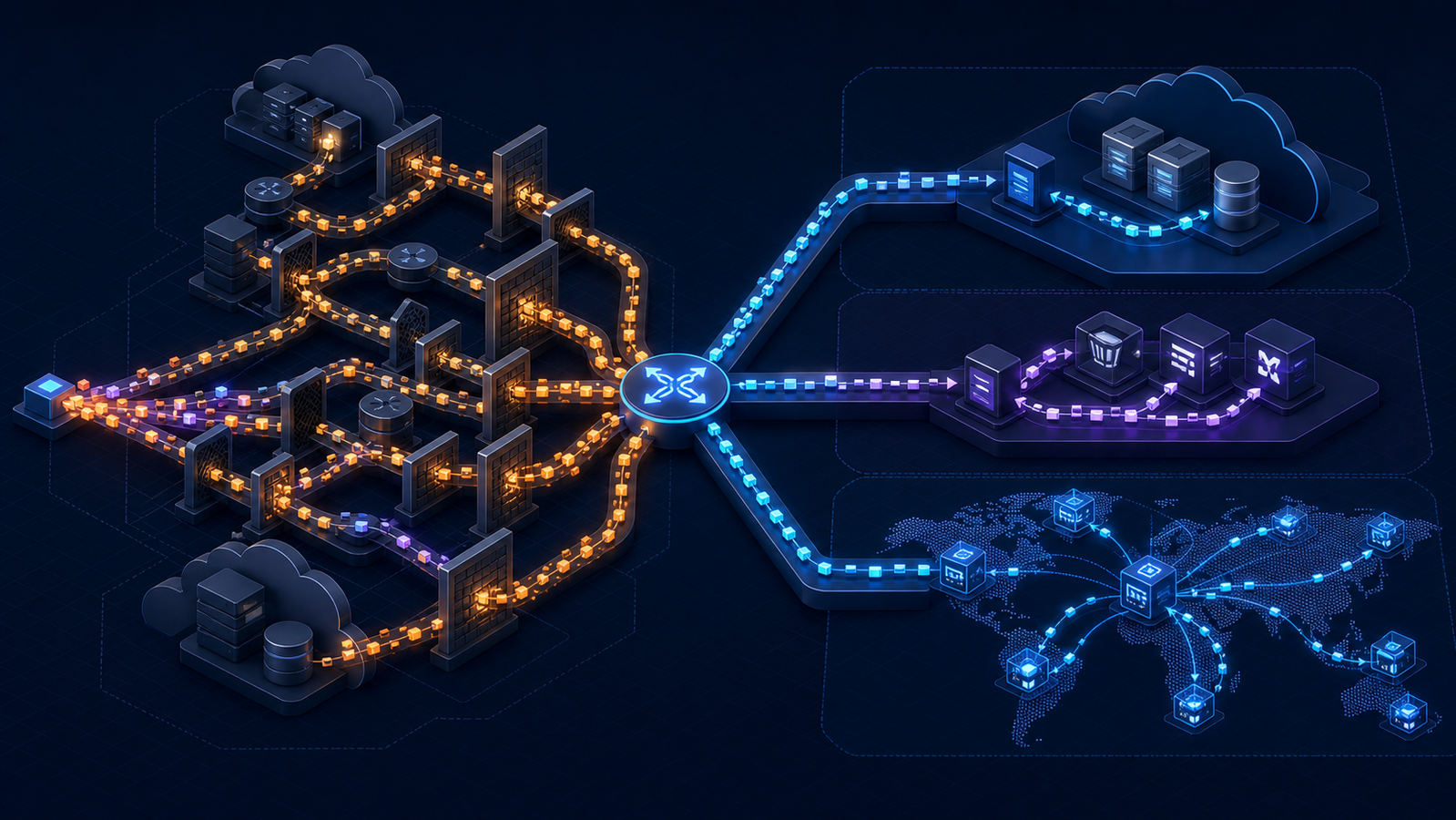
How to reduce AWS data transfer cost
AWS’s own cost-optimization guidance recommends modeling high-volume flows, using caching and CDNs, choosing suitable network services, and reviewing Flow Logs. Apply those ideas in the order the bill supports.
Fix unintended routes first
Look for same-Region S3 or DynamoDB traffic passing through NAT, cross-AZ traffic caused by a route-table mistake, and private workloads using public addresses for internal calls. These changes can remove a meter without changing the application’s business behavior.
Test the route before and after the change. Verify DNS resolution, endpoint policy, failure behavior, throughput, and the next full billing period; a prettier diagram is not proof of savings.
Put gateways beside the traffic they serve
If resources must use NAT, avoid crossing an AZ just to reach it. AWS recommends locating high-volume resources in the same AZ as the NAT gateway or deploying a gateway in each active AZ. The tradeoff is more hourly gateways versus less cross-AZ transfer and better zonal independence.
Perform the break-even calculation. One additional Ohio NAT gateway costs about $32.85 per 730-hour month before public IPv4 charges. At a combined cross-AZ path cost of $0.02/GB, avoiding roughly 1,643 GB per month offsets that gateway-hour amount; your real path and Region may differ.
Use service endpoints deliberately
Gateway endpoints for S3 and DynamoDB can remove NAT processing for supported traffic. Interface endpoints can keep other service calls private, but they are not free. Compare endpoint hourly charges and per-GB processing with NAT, cross-AZ, security, availability, and operational needs.
An endpoint is a routing and access-control change, not merely a discount. Validate policies, private DNS, quotas, failover, and application behavior.
Reduce bytes before they cross a paid boundary
Compress API responses with Brotli or gzip where clients support them. Encode images as AVIF or WebP, remove unused fields, batch small messages, and avoid sending identical telemetry repeatedly. For video, tune the bitrate ladder to actual devices and viewing conditions rather than publishing redundant renditions.
Measure transferred bytes, not source-file size. Encryption, framing, retries, range requests, manifests, and request/response overhead can make delivered volume different from the asset catalog.
Cache repeated delivery at the edge
For public media and downloads, a CDN changes the expensive path from “origin to every viewer” into “origin to cache on a miss, edge to viewers thereafter.” AWS does not charge AWS-origin-to-CloudFront transfer, but CloudFront delivery still follows its on-demand or flat-rate plan. Model request volume, geography, cache hit ratio, features, and origin offload together.
ZeroBuffer publishes a flat $0.0049/GB global video-delivery rate with no regional surcharge, contract, or minimum, so 10 TB is a straightforward $49 bandwidth estimate — about 94% below CloudFront’s $0.085/GB first on-demand North America tier, and the same figure whether those viewers are in Ohio or Jakarta. For a transfer model, the practical difference is that there is no allowance to size, no per-distribution plan to renew, and no regional split to forecast: one number multiplied by delivered bytes.
Keep high-volume services close—but not at the expense of resilience
Co-locating a chatty application and database in one AZ can remove transfer cost, yet it also changes the failure model. A safer optimization may be local read replicas, caching, asynchronous batching, or AZ-aware routing while preserving multi-AZ recovery.
For cross-Region systems, place compute near the data and replicate only what the product requires. Compress snapshots, filter event streams, and reconsider full replication for rarely accessed datasets. Price recovery objectives alongside transfer; saving $500 while weakening the service is not optimization.
Revisit CloudFront’s buying model
Existing CloudFront users should compare on-demand billing with the current flat-rate plans, weighing request volume, WAF and Route 53 needs, log ingestion, S3 credits, unsupported features, eligibility, performance policy, and distribution count. The Amazon CDN cost guide runs that comparison with worked examples.
For a provider decision beyond AWS, compare unit economics with cache behavior, origin charges, geographic reach, support, and migration risk. The top CDN providers guide provides a broader evaluation frame.
Build an AWS data transfer cost calculator that matches reality
The official AWS Pricing Calculator is useful for a proposed architecture, but its output is only as good as the traffic assumptions. AWS explicitly warns that actual bills can differ when data transfer inputs are over- or underestimated.
Create three scenarios—expected, peak, and failure—and calculate every leg:
monthly transfer cost = Σ (GB on each path × applicable transfer rate) + Σ (GB through each appliance × processing rate) + hourly network charges + request charges
Your worksheet should include:
- GB by source, destination, and direction.
- AZ and Region for both ends.
- Every intermediate gateway, load balancer, firewall, endpoint, CDN, and transit service.
- Internet and CloudFront allowances applied once, in the correct scope.
- Tiered rates rather than one blended unit rate.
- Requests, storage operations, retrieval, and logging outside the pure transfer estimate.
- Contract discounts, credits, and taxes in separate rows.
- A sensitivity test for cache hit ratio, compression, audience geography, and traffic growth.
Reconcile the model to one real month before trusting a forecast. Calculate effective dollars per delivered GB for the complete workload, then explain every material gap between the worksheet and CUR.
Frequently asked questions
How much does AWS data transfer cost per GB?
There is no single AWS data transfer price. For EC2 internet egress in US East (Ohio), current public pricing gives the first 100 GB per month free across eligible services and then starts at $0.09/GB; cross-AZ EC2-family traffic is listed at $0.01/GB in each direction. Service, Region, path, and volume can change the rate.
Is data transfer into AWS free?
Data transfer from the public internet into AWS is generally free. Exceptions and adjacent charges can still apply—for example, a managed appliance may process the traffic—so confirm the complete path and service page.
Why am I being charged for AWS data transfer within one Region?
The traffic may cross Availability Zones, use a public address, or pass through a metered service such as NAT Gateway, PrivateLink, Transit Gateway, a firewall, or a load balancer. Group Cost Explorer by usage type, then map the high-volume entry to network interfaces and routes.
How can I reduce AWS data transfer cost?
Fix unintended routes, keep gateways and their clients AZ-local, use suitable VPC endpoints, compress payloads, cache repeated public delivery, and reduce unnecessary replication. Rank changes by measured monthly GB and validate the resulting bill rather than applying every tactic indiscriminately.
Does CloudFront reduce AWS data transfer costs?
It can. AWS-origin-to-CloudFront transfer is free, and edge caching reduces repeated origin work, but CloudFront viewer delivery, requests, and optional features still have a cost — so the bytes move from one meter to another rather than becoming free. Price the delivery leg on its own terms and compare it with third-party CDN rates for the same traffic; the Amazon CDN cost guide covers CloudFront's buying paths in full.
Is AWS data transfer free when moving to another provider?
AWS offers eligible customers credits for data transfer out when they move all their data off AWS, but approval and conditions apply. The AWS Global Network FAQ says customers must contact AWS Support before the move and, if approved, complete it within the stated window; ordinary ongoing multi-cloud egress is not automatically free.
Conclusion: optimize the path, not just the rate
An accurate AWS transfer estimate is a map with prices attached. Identify the largest source-to-destination flows, expose every AZ, Region, gateway, and edge boundary, and apply each allowance or tier exactly once.
Then choose the least risky fix that changes the expensive path: correct a route, add an endpoint, reduce payload bytes, improve caching, or compare delivery models. Start with the top three transfer usage types from the last complete month and require every proposed change to show expected savings, reliability impact, owner, and a post-change billing check.
If the expensive path turns out to be internet delivery rather than an internal route, price the alternative before the next billing cycle. ZeroBuffer charges a flat $0.0049/GB priced by volume rather than geography, dropping to $0.0035/GB above 750 TB, with S3-compatible storage at $0.01/GB-month per replica and no per-request fees. Model your own transfer against it, then see the full rate card.