



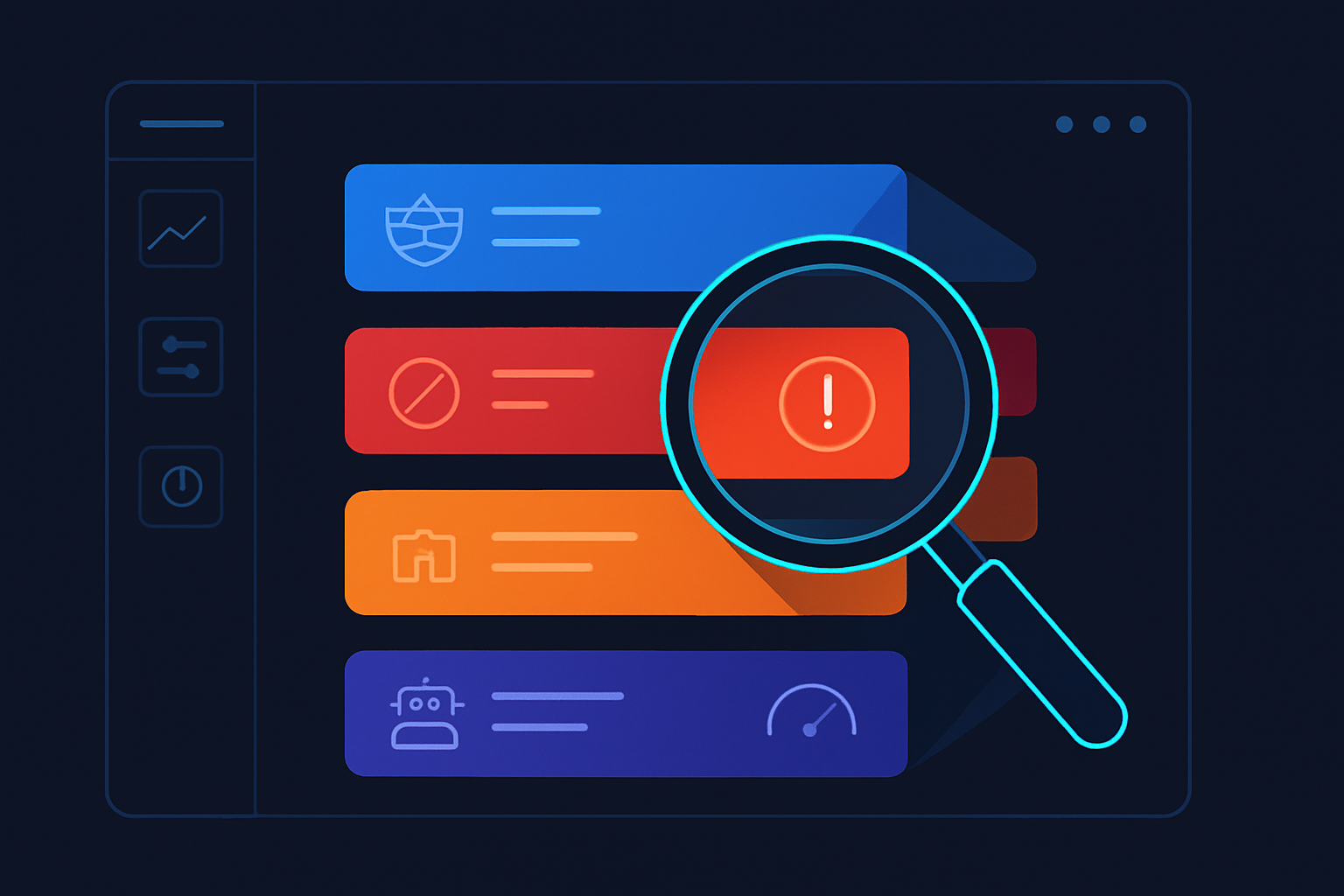
A production 403 forbidden Cloudflare error can be triggered by at least six distinct root causes — a WAF managed rule, an IP reputation block, a rate limiting policy, a bot score threshold, your origin server's own firewall, or a Cloudflare-side configuration failure that has nothing to do with your setup. The mistake most engineers make is treating all 403s as the same problem and starting with the same fix.
That approach wastes hours. A WAF false positive needs a rule exception. An origin firewall block needs an IP allowlist. A Cloudflare-side config failure needs neither — it resolves itself, or requires a support ticket. Applying the wrong remedy to the wrong layer doesn't just fail to fix the problem; it introduces new misconfigurations that compound it.
The only way to fix a 403 fast is to isolate which layer is generating it before touching anything. This guide gives you a systematic diagnostic framework, the exact CLI commands and API queries to run, and copy-paste-ready fixes for each root cause.
What a 403 Forbidden Cloudflare Error Actually Means (and What It Doesn't)
A 403 response in a Cloudflare-proxied environment carries two completely different meanings depending on where it originates. Understanding which of the two you're dealing with determines every subsequent diagnostic and remediation step.
403 vs access denied cloudflare: edge block or origin passthrough?
When Cloudflare generates the 403 at the edge, you get a Cloudflare-branded error page with a Ray ID. The request never reached your origin server. Cloudflare's WAF, Bot Management, IP reputation system, or a firewall rule made the decision to block it.
When the 403 comes from your origin, Cloudflare passes it through transparently. The response body will be your application's or web server's own error page, not Cloudflare's. Access denied Cloudflare errors are commonly misattributed — many are actually Apache, Nginx, or application-level rejections that Cloudflare is simply forwarding.
How 403 differs from 429, 502, 522, and 502 bad gateway cloudflare errors
These error codes are frequently confused because they all surface as delivery failures, but they have different owners and different fixes.
| Error Code | Generated By | Meaning | First Diagnostic Step |
|---|---|---|---|
| 403 | Cloudflare edge or origin | Request explicitly denied by a rule or permission | Check Cloudflare Firewall Events for a matching Ray ID |
| 429 status code | Cloudflare edge (rate limiting) | Too many requests from a source within a time window | Check rate limiting rules in Security > WAF > Rate limiting rules |
| 522 Cloudflare | Cloudflare edge | TCP connection to origin timed out — origin unreachable | Check origin server health and firewall; verify Cloudflare IP ranges are allowed |
| 502 Cloudflare / 502 bad gateway Cloudflare | Cloudflare edge or origin | Invalid response received from origin | Check origin error logs; verify application isn't returning a malformed HTTP response |
What the Cloudflare error page Ray ID tells you
Every Cloudflare-generated error page includes a Ray ID in the format cf-ray: 8a1b2c3d4e5f6a7b-LHR. The alphanumeric string identifies the specific edge request; the airport code suffix identifies the Cloudflare data center that processed it.
Copy the Ray ID before doing anything else. It is your primary key into Cloudflare's Security Events log and the API. Without it, you are searching for a specific request among millions.
Why Is Cloudflare Suddenly Blocking Me?
Cloudflare suddenly blocks requests when a WAF managed rule update, a bot management configuration change, an IP reputation score shift, or an automated Cloudflare-side config push affects your zone. This can happen with no changes on your part if Cloudflare rolls out a new threat intelligence feed or managed ruleset version. The fastest way to determine whether the block is at the edge or your origin is to pause Cloudflare and hit your origin IP directly with a Host header — if the 403 disappears, the block is at the edge.
Cloudflare-side changes that trigger 403 without you touching anything
Cloudflare regularly updates its managed WAF rulesets, bot management models, and threat intelligence lists. When a new ruleset version is deployed, rules that previously matched nothing in your traffic may start matching.
On November 18, 2025, a Cloudflare outage was traced to a bot-management configuration file that grew beyond a fixed size limit and crashed the core proxy, causing widespread HTTP 403 and other errors on sites whose own origins were completely healthy (Source: Cloudflare Blog). This is a concrete example of an edge-layer error that is entirely outside your control and entirely unrelated to your server configuration. When a 403 appears suddenly and affects all requests uniformly, checking Cloudflare's own status page at cloudflarestatus.com is step zero.
Origin-side changes mistaken for Cloudflare blocks
A deployment that modifies file permissions, a web server config update that restricts directory access, or an application change that adds authentication to a previously public route can all produce a 403 that surfaces through Cloudflare. Because the error page may not have Cloudflare's branding when passed through, engineers assume the CDN is responsible.
If your deployment pipeline ran before the 403 appeared, treat the origin as the primary suspect first.
External triggers: IP reputation shifts, ASN blocks, and geo-restrictions
Cloudflare's threat intelligence is dynamic. An IP address or ASN that was clean yesterday can be flagged today based on observed behavior across Cloudflare's network. If your application makes outbound requests from a shared cloud IP range — or if your users are in an ASN that has spiked in abuse scores — access denied Cloudflare responses will appear without any config change on your part.
Geo-restriction rules are another silent trigger. If someone on your team added a country block rule and your test traffic originates from a VPN exit in that country, you will get a 403 with no obvious explanation.
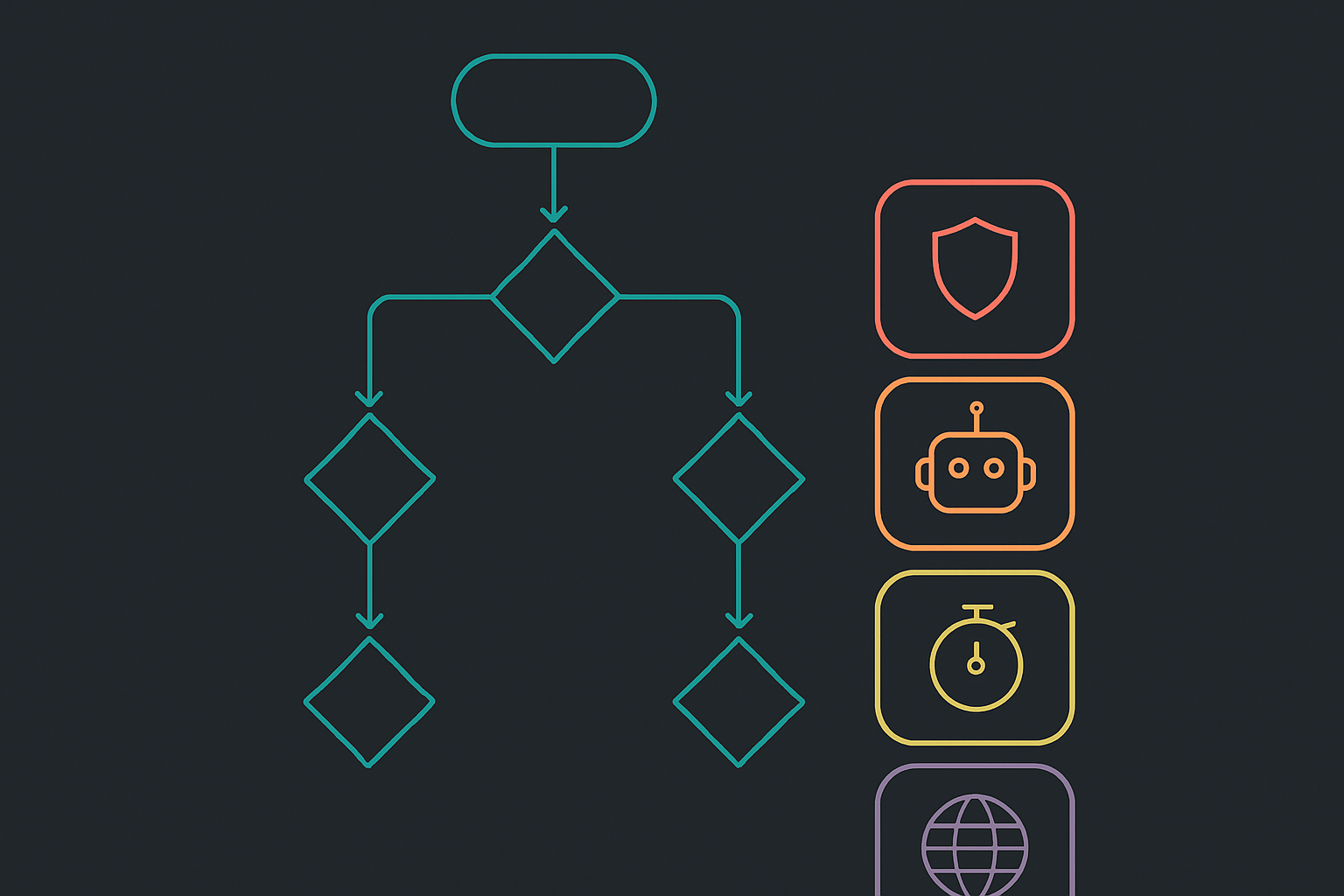
The 403 Forbidden Cloudflare Diagnostic Flowchart: Isolate the Layer First
Run these four steps in order before changing any configuration. Skipping to a fix without completing the diagnosis is how you spend four hours disabling WAF rules that were never the problem.
Step 1: Pause Cloudflare to test the origin directly
Cloudflare community moderators consistently recommend pausing the proxy before modifying any rule — if the 403 disappears, you know the block is at the edge; if it persists, the origin or its firewall is rejecting the request (Source: Cloudflare Community).
To pause Cloudflare: dash.cloudflare.com > [your zone] > Overview > Advanced Actions > Pause Cloudflare on Site.
Then hit your origin IP directly, bypassing DNS, with a Host header so your server routes the request correctly:
curl -H "Host: yourdomain.com" https://<origin-ip>/path -k -v 2>&1 | grep -E "< HTTP|< cf-ray|< server"
Replace <origin-ip> with your actual origin IP and /path with the path returning 403.
Result interpretation:
- 403 disappears → The origin is healthy. The block is at the Cloudflare edge. Proceed to Steps 2–4.
- 403 persists → The origin is rejecting the request. Cloudflare is irrelevant to the fix. Check your web server config, application auth logic, and origin firewall rules.
Step 2: Read the Cloudflare Ray ID and error page source
If the 403 is edge-generated, the response headers will contain cf-ray. Capture it:
curl -I https://yourdomain.com/path 2>&1 | grep -i "cf-ray\|cf-cache\|x-forbidden"
Also curl -s https://yourdomain.com/path | grep -i "ray-id" to extract the Ray ID from the HTML body if headers are stripped. This value drives Steps 3 and 4.
Step 3: Pull the Firewall Events log to find the matching rule
In the Cloudflare dashboard: Security > Events. Filter by the Ray ID from Step 2. The matching event will show: the rule ID that triggered, the action taken (block, managed_challenge, js_challenge), and the matched data.
If the Ray ID is absent from Firewall Events, the 403 is not from a WAF or firewall rule — it's from a Cloudflare system-level response (config error, zone suspension, or TLS failure).
Step 4: Check Security Events for bot score and challenge triggers
Filter Security > Events by Service = Bot Management or Action = managed_challenge. A bot score trigger will show a botScore field value below your configured threshold.
If no WAF rule and no bot trigger appears for your Ray ID, the 403 may be from Hotlink Protection or Authenticated Origin Pulls — check Security > Settings for both.
Cloudflare Rules and Configurations That Generate 403 Errors
Each of the following can produce a 403 independently. Know where each one lives before you start clicking.
WAF managed rules and custom firewall rules
Dashboard path: Security > WAF > Managed rules (for Cloudflare-managed rulesets) and Security > WAF > Custom rules (for rules you've written).
Firewall Events field: RuleID — managed rules use IDs like cloudflare:... or owasp:...; custom rules use the ID assigned at creation.
Distinguishing symptom: Managed rule 403s typically show Service: Cloudflare Managed Ruleset and a specific rule ID matching a known CVE or attack pattern. Custom rule 403s show your rule's name in the Description field.
Bot Management and bot score thresholds
Dashboard path: Security > Bots. Threshold configuration is under Bot Fight Mode (free) or Bot Management (Enterprise).
Firewall Events field: BotScore and BotScoreSrc.
Distinguishing symptom: The action is managed_challenge or js_challenge rather than a hard block. Legitimate automation (monitoring agents, CI health checks) frequently scores below thresholds.
IP reputation lists and Cloudflare's threat intelligence
Dashboard path: Security > WAF > Tools > IP Access Rules for manual entries. Cloudflare's automatic threat score is configured under Security > Settings > Security Level.
Firewall Events field: Service: IP Reputation.
Distinguishing symptom: The blocked IP appears consistently across multiple Ray IDs with no matching WAF rule — the block is reputation-based, not request-content-based.
Rate limiting rules and how they interact with 403 vs 429 status code
Dashboard path: Security > WAF > Rate limiting rules.
Critical distinction: Cloudflare rate limiting can return either a 429 status code or a 403 depending on how the rule's response action is configured. If the rule action is set to Block with a custom response code of 403, you'll see a 403 in logs even though the underlying cause is rate limiting. In Firewall Events, Service: Rate Limiting identifies this case regardless of the HTTP status code returned. Check the Action field alongside the Service field to distinguish a rate-limit 403 from a WAF 403.
Geo-blocking and country-level access rules
Dashboard path: Security > WAF > Custom rules with a ip.geoip.country condition, or Security > Settings > Firewall for legacy zone lockdowns.
Firewall Events field: Country combined with Action: Block.
Distinguishing symptom: 403s are geographically clustered — all blocked requests originate from the same country code in Firewall Events.
Hotlink protection and authenticated origin pulls
Dashboard path: Hotlink Protection: Scrape Shield > Hotlink Protection. Authenticated Origin Pulls: SSL/TLS > Origin Server > Authenticated Origin Pulls.
Firewall Events field: These do not always appear in Firewall Events — check Security > Settings directly if no matching rule appears for your Ray ID.
Distinguishing symptom: Hotlink protection blocks requests where the Referer header points to an external domain. Authenticated Origin Pulls generates a 403 at the origin when the client certificate is missing or invalid — this will persist when Cloudflare is paused.
Reading Cloudflare Logs to Pinpoint the Exact Rule Blocking Your Request
Security Events in the dashboard gives you interactive filtering. For production-scale pattern analysis and automated alerting, you need Logpush and the API.
Using the Security Events dashboard with Ray ID filtering
Navigate to Security > Events. Use the filter bar to enter Ray ID equals <your-ray-id>. The matched event will surface the exact rule, action, and triggered condition within seconds.
For pattern analysis — not a single request but a spike of 403s — filter by Action: Block and Status: 403 over a 1-hour window and group by RuleID. The rule generating the most events is your primary target.
Querying Cloudflare Logpush with jq for 403 pattern analysis
If you have Logpush configured to an S3 bucket or R2, each log file is newline-delimited JSON. This command filters for 403 events and extracts the fields you need:
cat cloudflare-logs-*.json | \
  jq -r 'select(.EdgeResponseStatus == 403) |
  [.RayID, .ClientIP, .RuleID, .Action, .ClientRequestPath] |
  @tsv'
Example output:
8a1b2c3d4e5f6a7b-LHR    203.0.113.42    cloudflare:944130    block    /api/upload
8a1b2c3d4e5f6a7b-CDG    203.0.113.42    cloudflare:944130    block    /api/upload
A repeated RuleID across multiple Ray IDs tells you exactly which managed rule to tune.
Using the Cloudflare API to pull firewall event details by Ray ID
curl -s -X GET \
  "https://api.cloudflare.com/client/v4/zones/<ZONE_ID>/security/events?ray_id=<RAY_ID>" \
  -H "Authorization: Bearer <API_TOKEN>" \
  -H "Content-Type: application/json" | jq '.result[]'
Example output:
{
  "action": "block",
  "rule_id": "cloudflare:944130",
  "source": "waf",
  "client_ip": "203.0.113.42",
  "matched_data": "multipart/form-data",
  "occurred_at": "2025-11-20T14:22:01Z"
}
Replace <ZONE_ID> with your zone ID from the Cloudflare dashboard Overview page and <RAY_ID> with the value from Step 2.
What each log field means: action, rule ID, trigger, matched data
action: block — a WAF rule, IP reputation entry, or custom rule made a hard deny decision. No challenge was issued; the request was rejected outright.
action: managed_challenge — Bot Management or a firewall rule issued an interactive challenge. Automated clients that can't solve the challenge receive a 403 after the challenge timeout.
action: js_challenge — A JavaScript-based challenge was issued. Clients without JS execution (crawlers, scripts, monitoring agents) will fail this and receive a 403.
The matched_data field shows the specific request content that triggered the rule. This is your evidence for whether it's a false positive — if matched_data contains legitimate application data, the rule needs a WAF exception.
Fixing 403 Forbidden Cloudflare Errors: API and IaC Remediation by Root Cause
Disabling or tuning a WAF managed rule via API
Use the rule ID from your Firewall Events log. To set a specific managed rule to log mode instead of block (safer than disabling outright):
curl -s -X PATCH \
  "https://api.cloudflare.com/client/v4/zones/<ZONE_ID>/rulesets/<RULESET_ID>/rules/<RULE_ID>" \
  -H "Authorization: Bearer <API_TOKEN>" \
  -H "Content-Type: application/json" \
  -d '{"action": "log", "enabled": true}'
Get your <RULESET_ID> from GET /zones/<ZONE_ID>/rulesets. This is reversible and gives you a window to confirm whether the rule was the actual cause before permanently changing its action.
Creating a WAF exception for false-positive traffic
WAF exceptions skip specific managed rules for traffic matching defined conditions (IP, path, header value).
Dashboard path: Security > WAF > Managed rules > Add exception.
Via API:
curl -s -X POST \
  "https://api.cloudflare.com/client/v4/zones/<ZONE_ID>/firewall/rules" \
  -H "Authorization: Bearer <API_TOKEN>" \
  -H "Content-Type: application/json" \
  -d '{
    "filter": {"expression": "ip.src eq 203.0.113.42 and http.request.uri.path eq \"/api/upload\""},
    "action": "skip",
    "products": ["waf"]
  }'
Be as specific as possible in the filter expression. Broad exceptions create security gaps.
Allowlisting IPs or ASNs in Cloudflare firewall rules
For known-safe IP ranges or ASNs (your monitoring provider, internal CI runners, partner services):
Dashboard path: Security > WAF > Tools > IP Access Rules.
Terraform resource: cloudflare_firewall_rule with action allow and appropriate filter expression.
resource "cloudflare_firewall_rule" "allow_monitoring" {
  zone_id     = var.zone_id
  description = "Allow monitoring probe IPs"
  filter_id   = cloudflare_filter.monitoring_ips.id
  action      = "allow"
  priority    = 1
}

resource "cloudflare_filter" "monitoring_ips" {
  zone_id     = var.zone_id
  description = "Monitoring probe IP range"
  expression  = "(ip.src in {203.0.113.0/24})"
}
Adjusting bot score thresholds without disabling bot management
Dashboard path: Security > Bots > Bot Management > Configure.
Rather than disabling Bot Management entirely, create a firewall rule that allows traffic below your threshold only for specific paths (API endpoints, health checks):
# Cloudflare Firewall Rule expression to allow low-score bots on health check path only
(cf.bot_management.score lt 30 and http.request.uri.path eq "/healthz")
Set this rule's action to allow with a lower priority number than your bot block rule so it evaluates first.
Fixing origin firewall blocks: allowlisting Cloudflare IP ranges
A leading cause of persistent 403s is the origin server's own firewall silently blocking Cloudflare's published IP ranges — every proxied request gets rejected at the origin, so the error appears to come from Cloudflare when the actual rejector is your host (Source: Cloudflare Support Docs). This is why the 403 persists even after disabling all Cloudflare WAF rules: the block was never at the edge.
Cloudflare's authoritative IP list is published at https://www.cloudflare.com/ips/. As of current publication:
# Cloudflare IPv4 ranges
103.21.244.0/22
103.22.200.0/22
103.31.4.0/22
104.16.0.0/13
104.24.0.0/14
108.162.192.0/18
131.0.72.0/22
141.101.64.0/18
162.158.0.0/15
172.64.0.0/13
173.245.48.0/20
188.114.96.0/20
190.93.240.0/20
197.234.240.0/22
198.41.128.0/17
# Cloudflare IPv6 ranges (partial — see cloudflare.com/ips for complete list)
2400:cb00::/32
2606:4700::/32
2803:f800::/32
iptables example:
for ip in $(curl -s https://www.cloudflare.com/ips-v4); do
  iptables -I INPUT -s $ip -j ACCEPT
done
Terraform AWS security group:
resource "aws_security_group_rule" "allow_cloudflare" {
  count             = length(var.cloudflare_ip_ranges)
  type              = "ingress"
  from_port         = 443
  to_port           = 443
  protocol          = "tcp"
  cidr_blocks       = [var.cloudflare_ip_ranges[count.index]]
  security_group_id = aws_security_group.origin.id
  description       = "Allow Cloudflare edge IP range ${count.index}"
}
Define var.cloudflare_ip_ranges as the list of CIDRs above, or automate it with Cloudflare's IP list API endpoint: https://api.cloudflare.com/client/v4/ips.
If you're repeatedly diagnosing 403s that turn out to be origin firewall blocks — and dealing with opaque Cloudflare-side errors and unpredictable egress bills on top of that — it's worth knowing about alternatives. ZeroBuffer gives you complete visibility into why a request was rejected and charges a single flat $0.0049/GB rate across every region, with no regional surcharges or bill shock. See how ZeroBuffer handles edge delivery at zerobuffer.io.
Testing, Validation, and Preventing 403 Forbidden Cloudflare Errors in Production
Pre-deploy validation: testing rule changes in Cloudflare's simulate mode
Before setting any WAF rule action to block, set it to log first. This is Cloudflare's equivalent of simulate mode: the rule evaluates against live traffic, records matches in Firewall Events, but takes no blocking action.
Dashboard path: Security > WAF > Custom rules > [rule] > Edit > Action: Log.
Run this for a minimum of 24 hours before switching to block on any rule with potential for false positives. Check Firewall Events filtered by your rule ID to confirm only malicious or expected traffic matches.
Staging environment approach: bypass Cloudflare selectively for testing
For end-to-end staging tests that need to bypass Cloudflare WAF rules without pausing your production zone, use a separate DNS record pointing directly to your origin IP:
# Test staging origin directly without Cloudflare proxy
curl -H "Host: staging.yourdomain.com" https://<staging-origin-ip>/path -k -v
Alternatively, use Cloudflare's Page Rules or Transform Rules to add a custom request header on staging traffic, then create a WAF skip rule that bypasses managed rules when that header is present.
Setting up alerts for 403 spike detection in Cloudflare Analytics
Dashboard path: Notifications > Add notification > HTTP Error Rate.
Recommended configuration for production:
- Metric: 403 error rate
- Threshold: 5% of total requests over a 5-minute rolling window
- Delivery: PagerDuty or email — PagerDuty for production, email for staging
- Zone: Scope to the specific zone, not account-wide, to reduce noise
A 5% threshold over 5 minutes is aggressive enough to catch a broken WAF rule deployment before widespread user impact but lenient enough to avoid alerting on normal bot traffic spikes.
Monitoring with Grafana or Datadog using Cloudflare Logpush
Configure Logpush to deliver to your observability stack, then filter on EdgeResponseStatus: 403.
Datadog log facet query:
source:cloudflare @EdgeResponseStatus:403 | stats count by @RuleID
Grafana (Loki) query:
{job="cloudflare_logs"}
  | json
  | EdgeResponseStatus = "403"
  | sum by (RuleID) (count_over_time([5m]))
Both queries group by RuleID so on-call engineers can immediately see which specific rule is spiking during an incident, rather than seeing only an aggregate 403 count.
FAQ
How to fix Cloudflare 403 error?
The fix depends on the root cause, which you must identify before changing anything. Pause Cloudflare and test your origin directly — if the 403 disappears, the block is at the edge and you need to check Firewall Events for the specific rule. If the 403 persists, check your origin server's firewall for blocks on Cloudflare IP ranges, and verify your web server and application permission configuration.
How do I fix a 403 Forbidden error?
A 403 Forbidden error is fixed by identifying which layer is generating it. Run curl -H "Host: yourdomain.com" https://<origin-ip>/path -k -v to test your origin directly. If the error is at the Cloudflare edge, use Security > Events filtered by your Ray ID to find the blocking rule, then either create a WAF exception, tune the rule's sensitivity, or adjust the bot score threshold. If it's at the origin, fix file permissions, application auth logic, or add Cloudflare's IP ranges to your firewall allowlist.
Why is Cloudflare suddenly blocking me?
Cloudflare suddenly blocks requests when a WAF managed rule update, a bot management configuration change, an IP reputation score shift, or an automated Cloudflare-side configuration push affects your zone — with no changes required on your part. The fastest way to determine whether the block is at the edge or your origin is to pause Cloudflare and hit your origin IP directly with a Host header. If the 403 disappears, the block is at the Cloudflare edge.
Does 403 Forbidden mean I'm blocked?
Not necessarily permanently, and not always by who you think. A 403 from Cloudflare means a rule or policy explicitly denied the request at that moment — but rules change, IP reputations shift, and rate limit windows reset. A 403 from your origin means your server or application rejected the request based on auth, permissions, or firewall rules. A 403 does not indicate account suspension (which generates a different Cloudflare error page) and it does not mean your IP is permanently blacklisted — most 403-generating conditions are configurable and reversible.
Fix the cause, then question the platform
If you've worked through the diagnostic steps in this guide and identified your root cause, your next concrete actions are Cloudflare's WAF exception documentation at developers.cloudflare.com/waf/managed-rules/waf-exceptions/ and the authoritative Cloudflare IP range list at cloudflare.com/ips/ — those two resources cover the two most common fixes: tuning edge rules and allowlisting origin firewall entries.
If you're landing here repeatedly — different 403s, different causes, but the same pattern of opaque edge behavior and unpredictable delivery costs — that's a signal worth examining at the architecture level. Not every 403 problem is a config problem. Some are a consequence of running on a CDN where the edge layer is a black box, the billing is regional and unpredictable, and debugging requires reconstructing context from sparse logs.
If unpredictable edge behavior and egress costs are the underlying problem, explore ZeroBuffer at zerobuffer.io — flat $0.0049/GB delivery, every region, no surprises.